

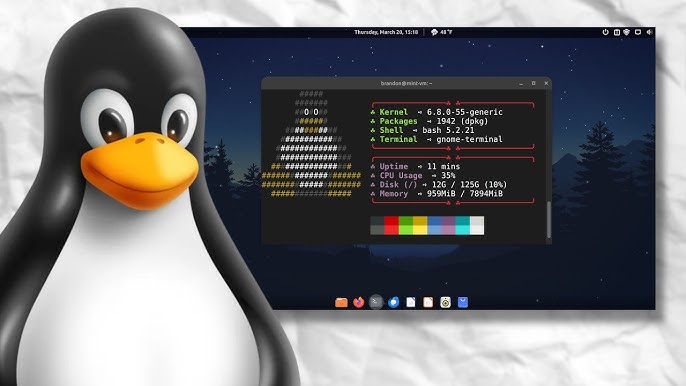
Linux Crash Course: Essential Guide for Beginners in 2024
Linux powers the internet—from web servers hosting websites to smartphones running Android, supercomputers solving complex problems to embedded systems controlling industrial equipment. Understanding Linux opens career opportunities in system administration, DevOps, cybersecurity, and software development while providing deeper insight into how computers actually work beneath graphical interfaces.
Understanding Linux Fundamentals
Linux represents a family of open-source operating systems based on the Linux kernel originally created by Linus Torvalds in 1991. Unlike proprietary systems like Windows or macOS, Linux source code is freely available, allowing anyone to modify, distribute, and study the operating system.
Linux Crash Course for Beginners 2023 provides structured introduction to core concepts. Popular Linux distributions (distros) include Ubuntu for beginners, Fedora for cutting-edge features, Debian for stability, and CentOS for servers. Each distribution packages the Linux kernel with different software selections, configurations, and philosophies.
Understanding why Linux matters helps maintain motivation during the learning curve. Linux dominates server environments—over 90% of cloud infrastructure runs Linux. DevOps tools, containerization platforms like Docker, and orchestration systems like Kubernetes assume Linux knowledge. Learning Linux future-proofs technical skills.
Setting Up Linux Environment
Beginners have several options for experiencing Linux without abandoning current operating systems. Virtual machines using VirtualBox or VMware create isolated Linux environments within Windows or Mac computers, allowing safe experimentation without affecting main systems.
Dual-booting installs Linux alongside existing operating systems, choosing which to boot during startup. This approach provides full Linux performance but requires careful partition management avoiding data loss.
Windows Subsystem for Linux (WSL) integrates Linux command-line tools directly into Windows 10 and 11, offering convenient access to Linux utilities without separate installations or virtual machines.
Cloud-based options include AWS, Google Cloud, or DigitalOcean providing Linux servers for practice without local installation requirements.
Command Line Mastery and File System
Linux power comes from the command line—text-based interface executing commands efficiently. While intimidating initially, the terminal provides precision impossible with graphical interfaces once mastered. The shell interprets commands, with Bash (Bourne Again Shell) being most common. Basic navigation includes pwd (print working directory), ls (list directory contents), and cd (change directory).
Linux organizes files hierarchically from root directory /. Understanding standard directories helps locate files—/home contains user directories, /etc holds configuration files, /bin stores essential commands, /var contains variable data like logs, and /tmp holds temporary files.
Everything in Linux is a file—including devices, processes, and system information. This unified approach simplifies system interaction once understood. Absolute paths start from root (/home/user/documents), while relative paths navigate from current location (../documents).
File manipulation commands include cp for copying, mv for moving/renaming, rm for removing, and mkdir for creating directories. The cat command displays file contents, less provides paginated viewing, and grep filters output for specific patterns. The find command locates files matching criteria. Pipe operators (|) chain commands, passing output from one as input to another, enabling powerful command combinations.
Security and System Management
Linux security relies heavily on file permissions controlling who can read, write, or execute files. The ls -l command displays permissions showing owner, group, and other user access levels. Permissions appear as -rwxrw-r-- indicating specific access for different user categories.
The chmod command modifies permissions using numeric codes (755, 644) or symbolic notation (u+x, g-w). Understanding permissions prevents unauthorized access while enabling necessary file sharing.
Software installation uses package managers—Ubuntu/Debian use apt, Red Hat/CentOS use yum or dnf. Common tasks include sudo apt update (update lists), sudo apt upgrade (upgrade software), and sudo apt install package-name (install packages).
Linux supports multiple users with individual permissions. Groups organize users sharing common access. The sudo command allows authorized users to execute administrator commands. Process management uses ps (list processes), top (monitor resources), and kill (terminate programs).
Advanced Tools and Skills
Terminal text editors enable command-line file editing essential for servers. Nano provides beginner-friendly interfaces with on-screen hints. Vim offers powerful features for experienced users.
Shell scripts automate tasks by combining commands into executable files starting with #!/bin/bash. Variables, conditionals, and loops enable complex automation, dramatically increasing productivity for routine administration.
Networking commands include ping (test connectivity), ssh (remote connections), and scp (secure transfers). System logs in /var/log record events, with tail -f /var/log/syslog monitoring real-time for troubleshooting.
Learning Path Forward
Linux mastery develops progressively through hands-on practice. Setting up home servers, deploying web applications, configuring development environments, or contributing to open-source projects applies knowledge in practical contexts.
Certifications like Linux+ or RHCSA validate skills for employers. Online communities, forums, and documentation provide ongoing learning resources and troubleshooting assistance.
Whether pursuing careers in system administration, cloud computing, DevOps, cybersecurity, or software development, Linux skills remain fundamental. The operating system’s flexibility, power, and prevalence across industries ensure knowledge investments deliver lasting career value while providing deep understanding of computing fundamentals applicable beyond Linux specifically.