

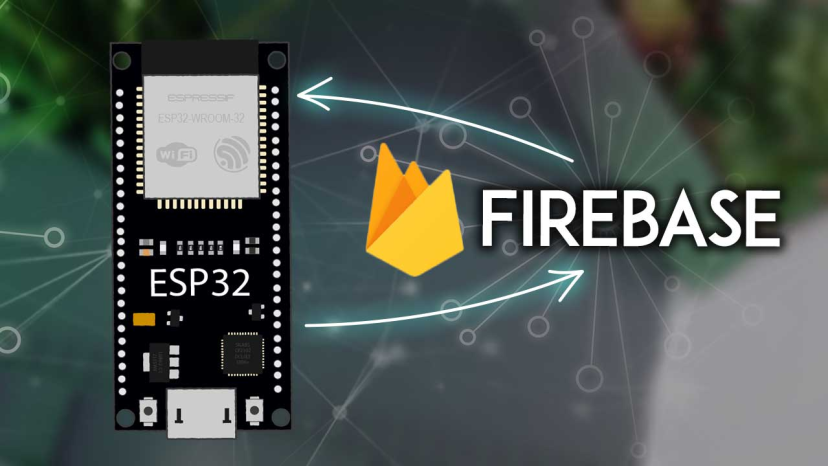
ESP Firebase Connection: Exchange Data in Real-Time Guide
Cloud integration transforms isolated IoT devices into connected systems accessible from anywhere. ESP Firebase connection exchange data in realtime enables ESP microcontrollers to communicate with Google’s Firebase platform, providing real-time database synchronization, authentication services, and cloud storage without managing servers or complex backend infrastructure.
Understanding Firebase for IoT
Firebase provides Backend-as-a-Service (BaaS) eliminating server management complexity. Instead of deploying and maintaining databases, authentication systems, and APIs, developers use Firebase services handling infrastructure automatically while focusing on application functionality.
Real-time database capabilities synchronize data across devices instantly. When ESP sensors update readings in Firebase, mobile apps, web dashboards, and other connected devices receive updates immediately without polling or manual refreshes.
NoSQL database structure stores data as JSON trees rather than traditional relational tables. This flexible schema accommodates diverse IoT data—sensor readings, device status, configuration settings—without rigid predefined structures.
Firebase Authentication manages user access securely. IoT devices and applications authenticate using various methods—email/password, anonymous authentication, or custom tokens—ensuring only authorized parties access data.
Cloud Functions enable server-side logic triggered by data changes. When ESP devices update sensor readings, Cloud Functions can process data, send notifications, or trigger actions without requiring always-on servers.
Setting Up Firebase Project
Creating Firebase projects through Firebase Console establishes cloud infrastructure for applications. Each project provides unique identifiers, configuration details, and access credentials required for ESP integration.
Project configuration includes database rules defining read/write permissions, authentication settings enabling various login methods, and storage rules governing file access. Proper configuration balances accessibility with security.
Firebase libraries for ESP simplify integration. The Firebase ESP Client library handles authentication, database operations, and data formatting, abstracting protocol complexity into straightforward function calls.
API keys and project credentials authenticate ESP devices with Firebase services. Storing these securely prevents unauthorized access while enabling legitimate device communication.
Authentication Implementation
Anonymous authentication provides simplest starting point for testing. Devices connect without user credentials, suitable for public data or prototyping before implementing full security.
Email/password authentication requires device credentials, appropriate when specific devices need individual identities. Creating device accounts through Firebase Console or programmatically enables tracked, accountable access.
Custom tokens enable ESP authentication without hardcoded passwords. Backend services generate time-limited tokens ESP devices use for authentication, enhancing security through token rotation and centralized management.
Authentication state management ensures persistent connections. Handling token refresh, reconnection after network interruptions, and authentication failures maintains reliable Firebase access.
Database Operations and Synchronization
Database references point to specific data locations within Firebase JSON trees like “/sensors/temperature”. Writing data updates database values—simple writes replace existing data while push operations create new child nodes with unique keys for logging timestamped readings.
Reading data retrieves current values or listens for changes. One-time reads fetch current state, while streaming connections receive updates whenever data changes, enabling reactive applications.
Periodic updates send sensor readings at regular intervals. Change-based updates conserve bandwidth by uploading only when readings change significantly. Batch operations combine multiple updates into single transactions ensuring data consistency.
Cloud Storage and Application Integration
Firebase Cloud Storage handles files beyond database values—images from ESP32-CAM, configuration files, or firmware updates. Upload operations transfer files to cloud with retry logic ensuring reliability. Download operations retrieve configurations or updates enabling dynamic device behavior.
Mobile apps using Firebase SDKs receive real-time updates from ESP devices instantly. Web dashboards built with React or Vue integrate Firebase JavaScript SDK creating live monitoring interfaces responding immediately to device changes.
Multi-device synchronization ensures consistency—configuration changes through web interfaces propagate to ESP devices automatically. Offline support handles intermittent connectivity through local caching, synchronizing when connectivity restores.
Security and Performance
Database security rules define read/write permissions using Firebase’s expression language. Hierarchical permissions enable granular control—users read public data while only owners modify settings. Validation rules enforce data integrity preventing malformed data.
Connection pooling reduces overhead by reusing established connections. Data pagination limits query results managing memory consumption. Indexing accelerates queries on large datasets. Caching balances freshness with responsiveness.
Firebase pricing includes free tier suitable for prototyping. Efficient data structures minimize costs—avoiding excessive writes, implementing change-detection, and archiving old data controls expenses.
Debugging and Applications
Firebase Console provides real-time database viewers showing current data and recent changes. Debug logging in ESP code prints Firebase operations helping diagnose integration issues. Cloud Functions logs capture server-side processing details.
Smart home systems coordinate ESP-powered devices through Firebase backend. Mobile apps control devices from anywhere while automation responds to sensor conditions. Agricultural monitoring uploads soil data enabling remote farm management and historical analysis.
Asset tracking logs location from mobile ESP devices for fleet management. Environmental monitoring networks aggregate data from distributed sensors for air quality monitoring or weather networks.
ESP Firebase integration provides enterprise-grade backend infrastructure accessible to hobbyists and professionals. Real-time synchronization, scalable storage, and managed authentication enable sophisticated connected applications transforming creative ideas into deployed reality.