

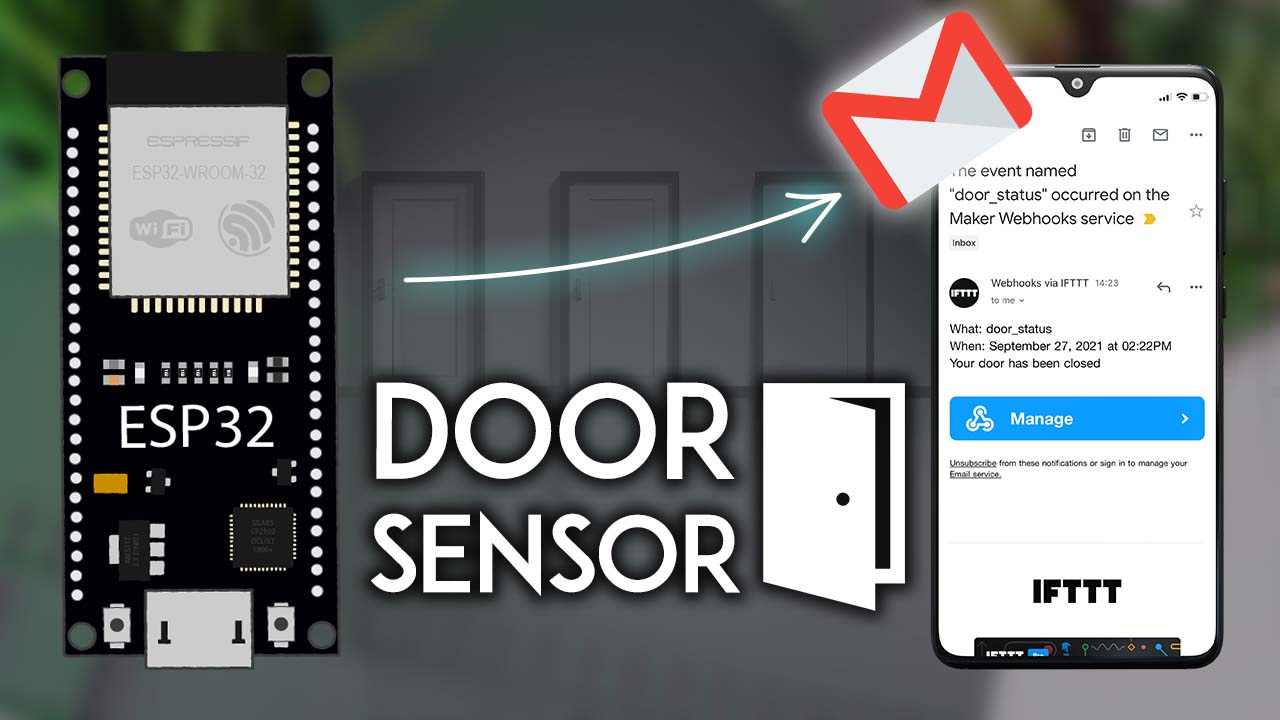
ESP Email Alerts Based on Sensor Readings: Complete Guide
IoT monitoring systems become truly powerful when they notify users about important events without constant manual checking. ESP email alert based on sensors reading transforms passive data collection into active monitoring, automatically sending notifications when temperatures exceed thresholds, motion is detected, moisture levels drop critically, or any sensor-detected condition requires attention.
Understanding ESP Email Capabilities
ESP32 and ESP8266 microcontrollers include built-in Wi-Fi enabling internet connectivity without additional hardware. This wireless capability allows direct communication with email servers, sending alerts from remote locations—gardens, warehouses, vacation homes, or anywhere Wi-Fi reaches.
Email notifications provide several advantages over alternative alerting methods. Email requires no specialized apps or services—everyone has email. Messages persist for reference unlike transient push notifications. Email supports rich formatting including sensor readings, timestamps, and multiple data points in single messages.
SMTP (Simple Mail Transfer Protocol) handles email sending. Understanding SMTP basics—server addresses, ports, authentication—enables configuring ESP devices to send emails through various email services like Gmail, Outlook, or custom email servers.
Essential Components and Hardware
Temperature and humidity sensors like DHT11, DHT22, or BME280 monitor environmental conditions. These digital sensors connect easily to ESP boards through simple wiring, providing accurate readings for climate control, agriculture, or storage monitoring applications.
Motion sensors (PIR sensors) detect movement, ideal for security applications. When motion triggers, ESP systems email alerts about potential intrusions or unexpected activity.
Moisture sensors measure soil or surface wetness, perfect for plant watering automation. Low moisture triggers email reminders to water plants or activates automatic irrigation.
Gas sensors detect smoke, carbon monoxide, or other dangerous gases. Email alerts provide critical safety warnings even when residents are away from monitored locations.
Setting Up Development Environment
Arduino IDE provides familiar programming environment for ESP development. Installing ESP board support through Board Manager adds ESP32 and ESP8266 options to IDE, enabling code compilation and uploading.
Required libraries simplify email functionality. ESP_Mail_Client library handles SMTP communication, managing authentication, connection, and message formatting. Installing libraries through Library Manager prevents manual file management.
Wi-Fi configuration enables internet connectivity. Storing Wi-Fi credentials in code (for testing) or implementing web-based configuration (for deployment) connects ESP devices to local networks accessing email servers.
Sensor Integration Basics
Reading sensor data requires understanding specific sensor protocols. Some sensors use simple analog signals, others communicate through I2C or SPI protocols, while some provide digital outputs. Consulting sensor datasheets clarifies connection requirements and reading procedures.
Temperature sensors typically provide readings through library functions returning values in Celsius or Fahrenheit. Converting between units when needed ensures correct threshold comparisons and user-friendly email content.
Calibration improves accuracy. Comparing sensor readings against known accurate instruments reveals offsets requiring correction in code. Proper calibration prevents false alerts from inaccurate measurements.
Error handling manages sensor failures. If sensors disconnect or provide invalid readings, systems should recognize problems rather than sending alerts based on faulty data. Implementing validation checks prevents alert fatigue from spurious notifications.
Email Configuration and Alert Implementation
Gmail configuration requires app-specific passwords for security. Enabling 2-factor authentication, then generating app passwords through account security provides ESP credentials. SMTP server details vary—Gmail uses smtp.gmail.com on port 465 (SSL) or 587 (TLS).
TLS/SSL encryption protects transmission. Most providers require encrypted connections configured through library settings.
Threshold-based alerts trigger when readings exceed specified values. Temperature alerts might trigger above 30°C, moisture alerts when soil dryness exceeds acceptable levels. Hysteresis prevents oscillation—requiring temperature drop to 28°C before resetting prevents notification spam.
Alert cooldowns limit frequency. Implementing delays between alerts—5 minutes to hours depending on urgency—balances timely notification with reasonable volume. Multiple condition alerts combine sensors, triggering only when both high temperature AND low humidity occur.
Email content should include sensor readings, timestamps, location, and clear problem descriptions. Error recovery handles network failures through retries. Status emails confirm system operation—absence indicates problems requiring investigation.
Power Management and Testing
Battery installations require efficient power usage. Deep sleep modes reduce consumption between readings. Waking periodically, reading sensors, sending emails if needed, then sleeping achieves months of battery operation.
Wi-Fi connection management affects power consumption. Connecting, sending email, then disconnecting uses less power than constant connections. Serial monitor output reveals execution details during development. Test email addresses prevent inbox flooding. Simulating sensor conditions validates logic without waiting for environmental changes.
Real-World Applications and Advanced Features
Smart agriculture monitors soil moisture, alerting when irrigation becomes necessary. Home security using motion sensors emails alerts about unexpected activity enabling quick response.
Environmental monitoring in server rooms ensures conditions remain acceptable. Temperature or humidity deviations trigger alerts before equipment damage. Elderly care applications monitor presence—absence of expected motion triggers welfare check alerts.
Multiple recipient alerts ensure notifications reach relevant parties. SMS gateway integration enables text alerts for urgent notifications. Cloud integration stores sensor data creating historical records. Conditional formatting tailors email content to specific conditions—critical alerts use urgent subject lines.
ESP-based email alert systems transform sensor projects into intelligent monitoring providing peace of mind through automatic notification of important conditions requiring attention.